Or is it ?
Espresso! SOURCE
Espresso!

Espresso!

AI image generation made simple.

One desktop app, two engines: OpenAI's cloud when you want the best model, your own graphics card when you want it free and private. Same controls either way. No Python to install, no node graph to wire up.

48 MB installer · no account needed · runs offline once set up
WINDOWS 10 / 11 · x64 v1.2.0 · MIT
Why it exists

Between a chat box and a node graph, there was nothing.

ChatGPT will refuse an image and never tell you which word did it. ComfyUI will generate anything you want, once you have learned to wire a graph and pick your own VAE. Neither is built for someone who simply wants a good picture without a research project attached.

Espresso sits in the gap. Every parameter that matters is on screen with a sane default already filled in, and the two ways of generating an image - somebody else's GPU or yours - look and behave the same.

Two engines

Cloud, via OpenAI

Full control over gpt-image: size up to 3840x2160, quality, moderation level, format and compression. A live cost estimate before you spend anything. INSIST mode retries through moderation refusals until it actually gets you the images you asked for.
Local, on your own GPU

A one-click runtime installer that detects your NVIDIA card, then SDXL, Flux 1, Flux 2 and SD3 from a catalogue of 25 pre-vetted models - or anything you find on CivitAI and HuggingFace. VRAM-aware CPU offload so a 8 GB card still gets there. Nothing leaves your machine.

And the parts nobody demos

  • A task queue that snapshots parameters, reorders by drag, and pauses on error instead of eating the rest of your batch.
  • API keys in the Windows Credential Manager, never in a plaintext file. Logs redact them.
  • Interface in English and French, switchable while running.
  • One 48 MB installer. No admin rights, no Python, no CUDA toolkit.
Screenshots
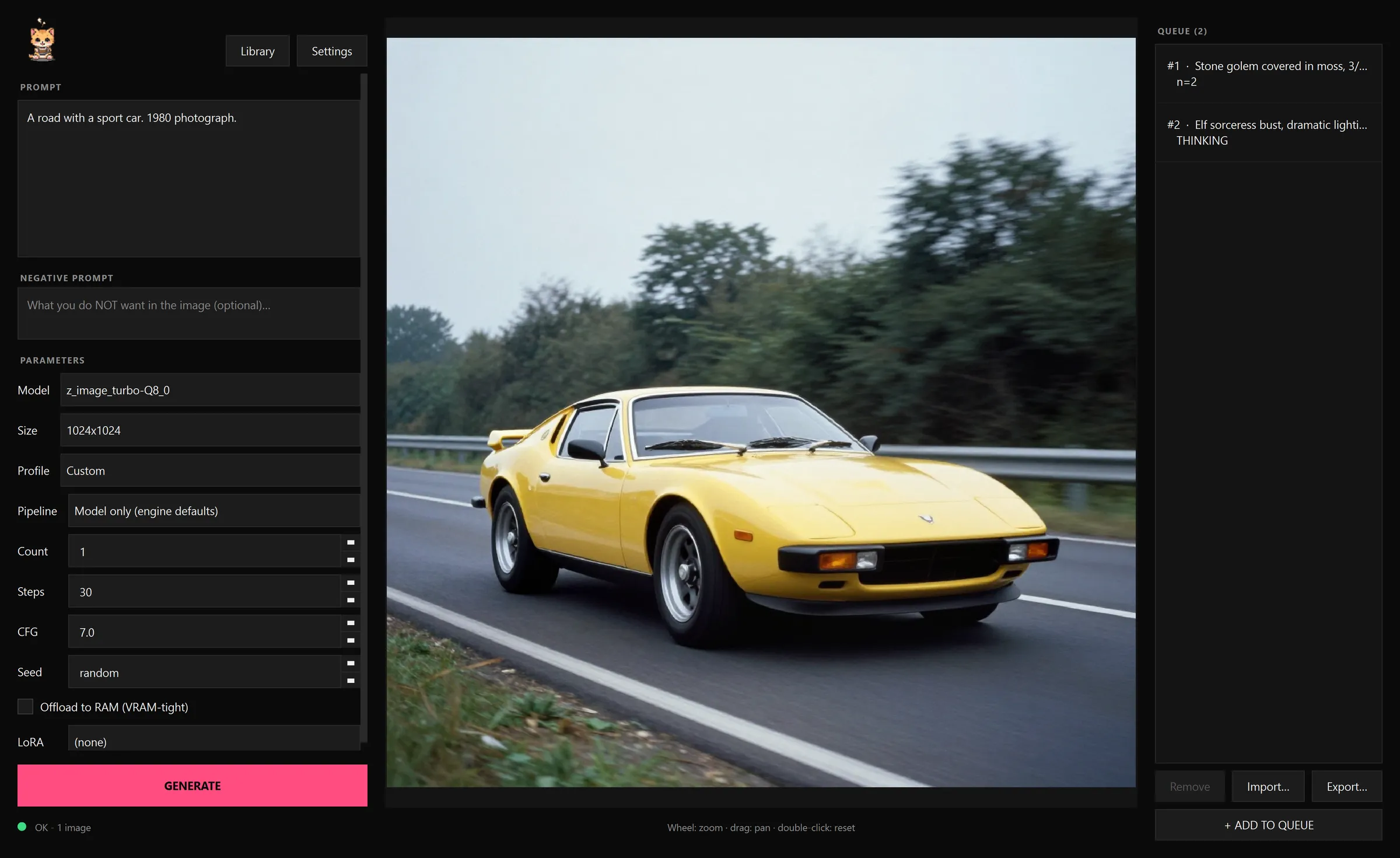
The main window: prompt on the left with every parameter that matters, the result in the middle, the queue on the right.
The main window: prompt on the left with every parameter that matters, the result in the middle, the queue on the right. Tap to open full size
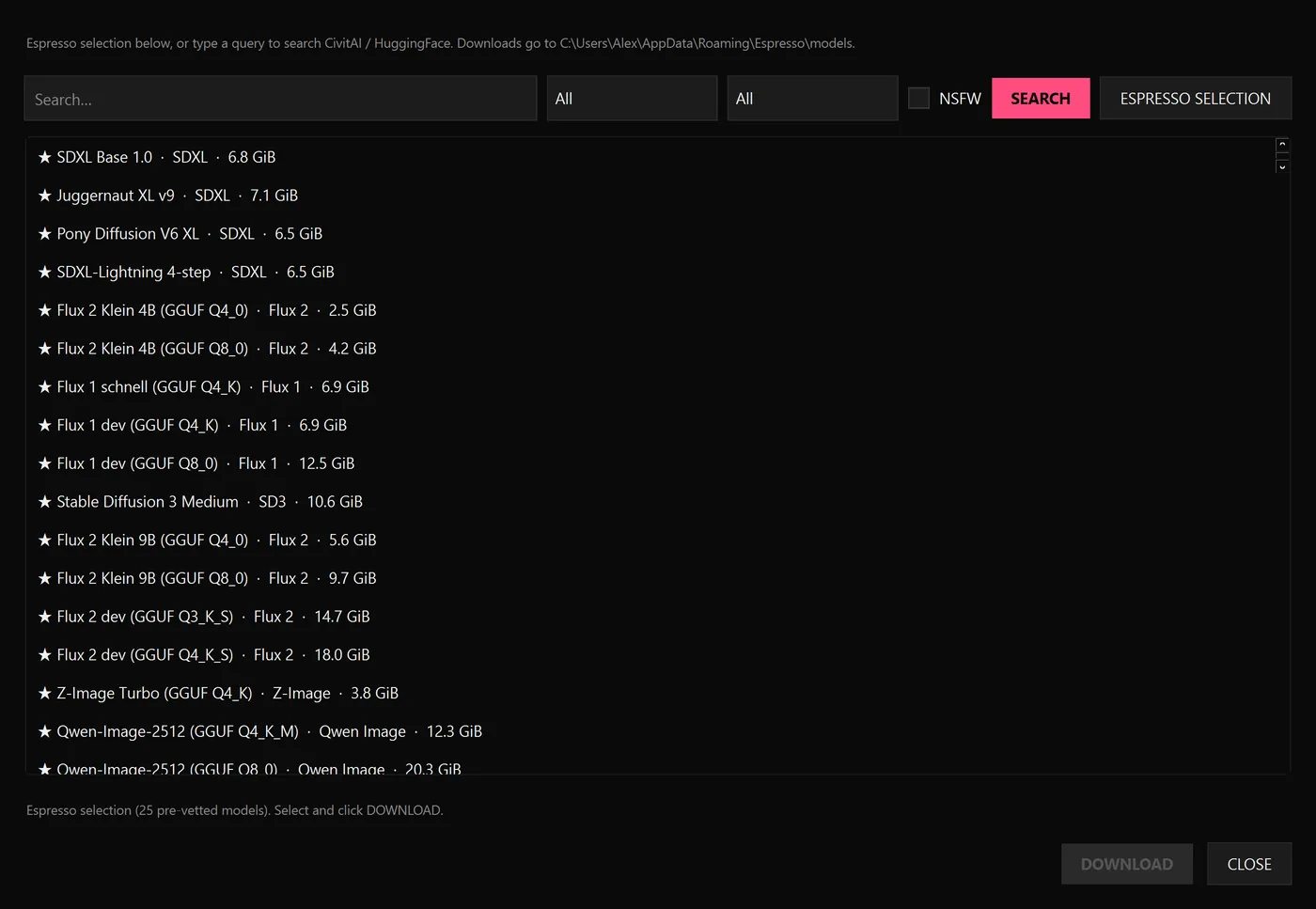
The model library: 25 pre-vetted models, plus free-text search on CivitAI and HuggingFace.
The model library: 25 pre-vetted models, plus free-text search on CivitAI and HuggingFace. Tap to open full size
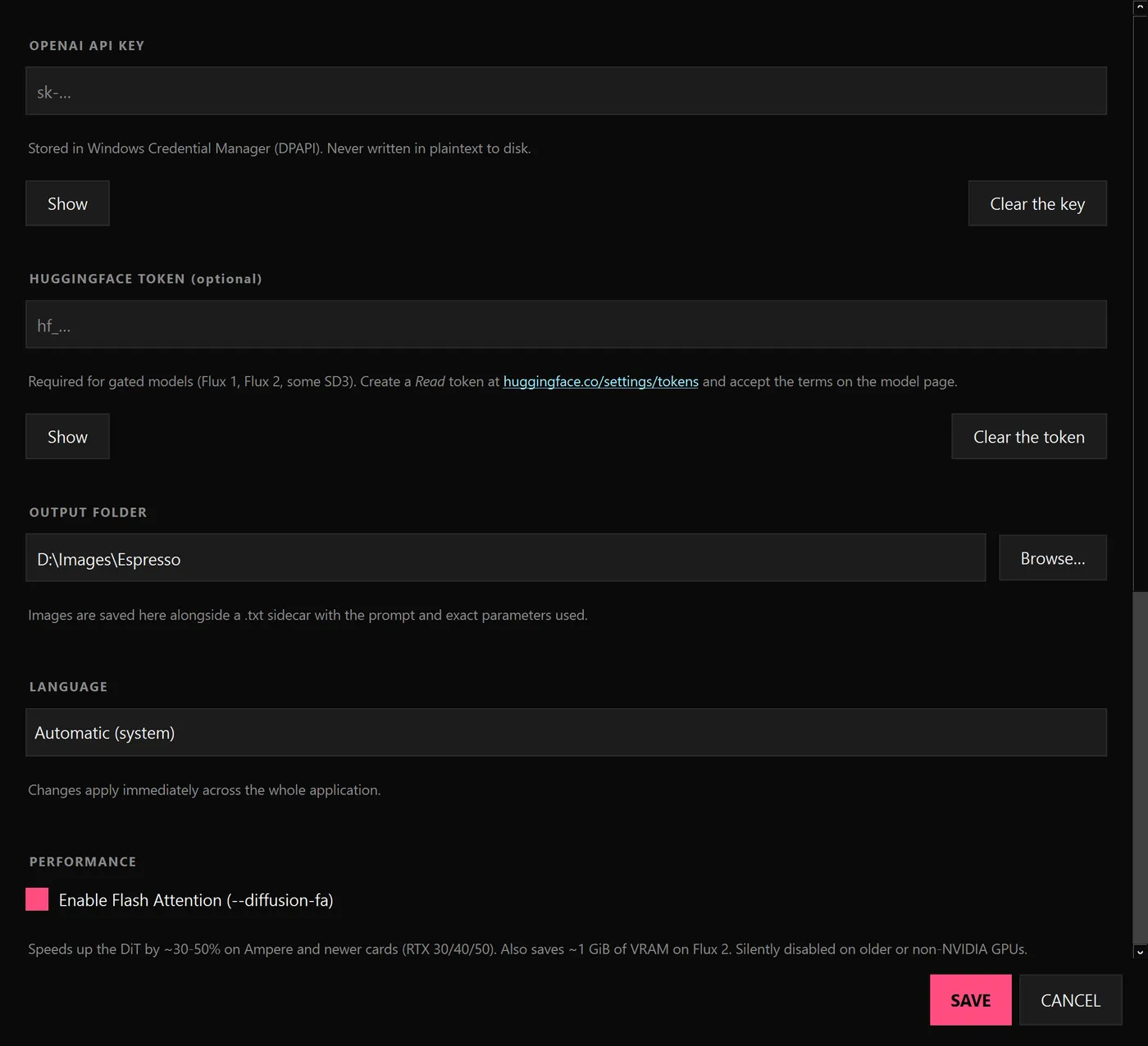
Settings: API keys go to the Windows Credential Manager, never to disk in plaintext.
Settings: API keys go to the Windows Credential Manager, never to disk in plaintext. Tap to open full size
ESPRESSO.EXE v1.2.0
Download RELEASES

Windows 10 and 11, 64-bit.

Recommended Espresso-Setup-1.2.0-win-x64.exe

Installs for your user only, so it never asks for admin rights. Uninstalling leaves your downloaded models and settings untouched.

SHA-256 bfdfdc22e8acdfcdecd23560d8e0e2b169cb4884334d61bcb2912f7e1ac5722a
Portable Espresso-1.2.0-win-x64.zip

No installer. Extract the archive fully, then run Espresso\Espresso.exe.

SHA-256 9a38a33b211998c9b318f1df1ce540d8f8847ef42c3631a6ec77540d49ffb16a

Verify what you downloaded, in PowerShell:

Get-FileHash .\Espresso-Setup-1.2.0-win-x64.exe -Algorithm SHA256
Windows will warn you on first run.

Both builds are unsigned, so SmartScreen shows a blue panel. Click "More info", then "Run anyway". Code signing costs money the project does not have yet; the hashes above and the VirusTotal report are what you get instead, and they are checkable rather than merely reassuring.

If you take the zip, extract it first.

Do not launch the exe from inside the zip viewer, and do not copy Espresso.exe out on its own. Windows then extracts it without its _internal folder and it dies with "Failed to load Python DLL". The exe and _internal must stay side by side. For a Desktop launcher, make a shortcut, not a copy. The installer has none of these traps.

Version 1.2.0 released 22 July 2026
License

MIT. Genuinely.

Use it, fork it, sell what you build with it - just keep the copyright notice. The one thing that is not mine to give away: the models you download through the catalogue carry their own licenses, and several forbid commercial use. Check the model, not just the app.

Read the source